Session List
Session List
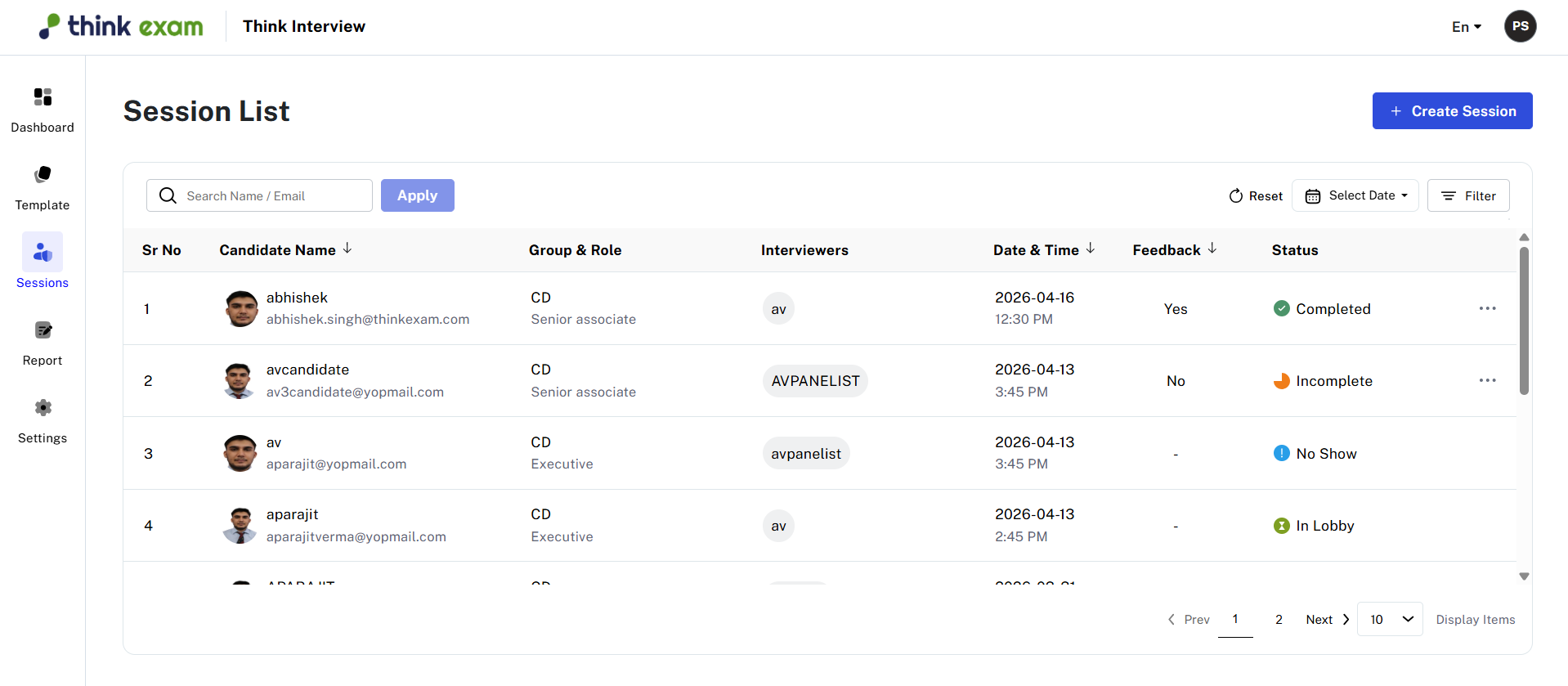
The Session List provides a structured view of all scheduled interview sessions. It allows administrators to easily track and manage interviews by displaying key details such as:
- Candidate Name
- Group & Role
- Interviewer (Panelist) Name
- Interview Status (e.g., Scheduled, Completed, No Show)
- Scheduled Date and Time
Filtering and Search Options
To enhance usability and quickly locate specific records, the Session List offers multiple filtering options:
Filter by Attributes
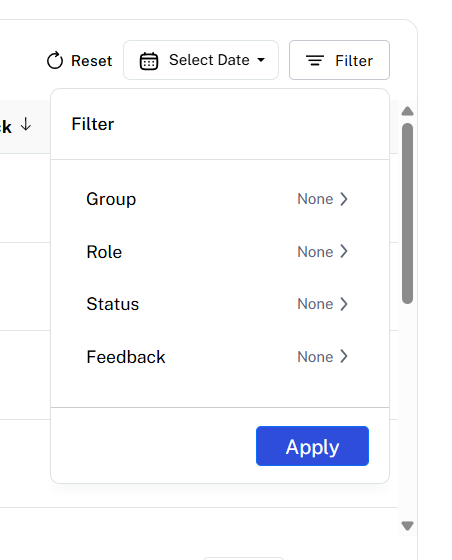
You can filter candidates based on:
- Group
- Role
- Status
- Feedback
This helps in narrowing down results and focusing on specific segments of candidates.
Filter by Date
The Date Filter allows you to search for sessions within a specific time range. This is useful for:
- Reviewing past sessions
- Tracking upcoming interviews
- Generating time-based reports
Viewing Reports

To access detailed reports for a session:
- Click on the three-dot (⋮) menu next to the session
- Select “View Report”
Related Articles
Session
Session List The Session List displays all scheduled interview sessions in a structured format. From this section, administrators can view key details such as: Candidate name Interview status (e.g., scheduled, completed, no show) Interviewer ...Session Overview
The Session Overview module provides a consolidated view of all completed interview sessions. It enables administrators to monitor assessment outcomes and review candidate performance in a structured and insightful manner. This section displays a ...How to create a new Session?
Creating a new interview session is a simple and structured process. Step 1: Initiate Session Creation Click on the “Create Session” button located on the right side of the page A new form will open where all required details must be filled Note: All ...How to Create a New Template
Create Template Click on “Create New” on the right-hand side of the screen. A new template form will open. Template Name: Enter a relevant name for the template Code: Auto-generated (for internal use) Interview Duration: Select from 15, 30, 45, or 60 ...Global Settings
The Global Settings section allows administrators to configure essential platform behaviors to align with their interview and assessment requirements. These settings help standardize system operations across all users. System Time Zone This setting ...